Powerful FTP automation
ScriptFTP is an FTP client designed to automate file transfers. It follows the commands written on a text file (also called script file) and makes the uploads or downloads automatically.
Writing the script file is very easy. This small introduction will show how it is done. You can also visit the script library for some examples.
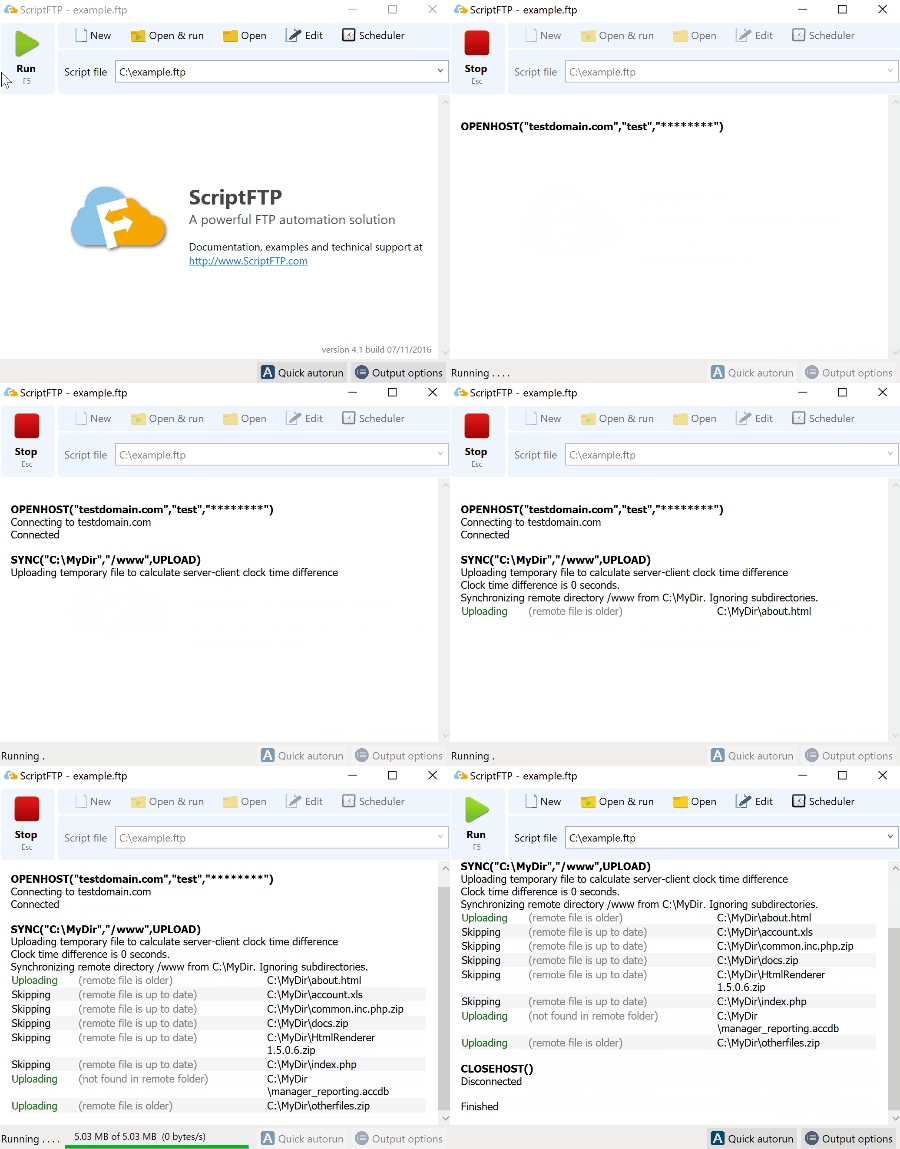
- Complete unattended operation
- Based on FTP protocol standards and RFCs
- Plain FTP protocol support
- FTP over SSL (FTPS) support
- SSH FTP (SFTP) support
- Fast script execution and low memory footprint
- Different levels of output detail. Max level with detailed info useful for troubleshooting
- Capable of periodic and scheduled script execution
- Full background run or normal window operation
- Log files for every run script available
- Integration with other tools or workflows via external command execution, environment variables etc.
- Full command line support via a command line version of the FTP interpreter
Simple FTP scripting
ScriptFTP provides a powerful yet easy script language. Each FTP operation has its own and descriptive command.
Creating your own script is just writing these commands separated by lines. ScriptFTP will run them step-by-step just clicking the Run button or when scheduled.
Fully Documented
This website has a detailed documentation covering all the topics about FTP scripting. Each command has its own page with examples of how to use it. Also, you have already written scripts to start with.
All the contents of the website are indexed and ready to be searched (see the Search text entry at the top). Have a question? Just type anything there. We have probably written something regarding that.
Helpful support
Technical support is driven by the same people who develop and maintain the application. We do not rely on other companies or call centers for technical support.
We handle all the requests personally by email, the forum or live via the website chat at the lower right icon of this website. And if you want to talk with us just book a time.